Product Tour · Your work, kept safe
Built for the bad days
One file on your own drive, snapshots you can restore, daily backups — and a full copy of everything, exportable any time.
A novel is countless hours of work sitting in one file. Verkilo treats that file with the respect it deserves.
One file, like a document
Your whole project — every book, character, and note — lives in a single file on your computer. Treat it the way you treat a Word document: copy it, back it up, keep it where you can see it.
- One project file you can see, copy, and back up yourself
- Best kept on your computer’s own drive — the backups, not the project, are what belong in the cloud
Leave with everything, any time
A file format you can’t read without the app is a quiet kind of lock-in, however friendly the app. So Verkilo will hand you everything, whenever you ask.
Project → Export Data writes a full copy of all your project data at any time, in two forms:
- As Markdown — every scene’s full text, every character, location, and notebook entry as plain Markdown files, images included. Open the folder as an Obsidian vault and your links and tags just work — or point an AI assistant, a search tool, or version control at it.
- As a website — your whole project as a private site: open it in any browser, on any computer, no internet and no Verkilo required. Books read scene by scene; every character and place has its own page, down to who feels what about whom.
Export it once a month and put it with your backups, or never think about it until the day you want it. Either way, the door is never locked from our side.
The truth about cloud drives
Cloud drives are built for files you open, change, and close. A novel isn’t that — it’s a project that stays open all afternoon. Two things go wrong: the drive can upload a file in the middle of a save, and it can hand you a stale copy. Open your laptop before it has downloaded last night’s desktop session, and there are suddenly two versions of your book.
Verkilo assumes both will happen eventually:
- Every save is all-or-nothing — a complete copy of the project, swapped in whole, so a syncing drive never sees a half-saved file
- Before writing over the project, Verkilo checks whether anything else changed it. If something did, you get a plain choice — Overwrite, Save As, or Dismiss — before a single word is written
- If the project is already open on another computer, Verkilo tells you, instead of letting two machines fight over the file
Even so, we won’t promise a synced folder is safe. No writing app honestly can. Keep the project local, and let the cloud carry your backups.
What can follow you between computers
Your project file is one thing. The setup around it is another — interior templates you built, label groups and presets, keywords, the words you added to your dictionary, preferences like theme and editor width.
That part can travel. Point Settings at a folder your cloud storage already keeps in step — iCloud, Dropbox, whatever you use — and Verkilo keeps your library there too. Open the other computer and your templates are waiting.
- Templates, label groups, presets, keywords, your dictionary and your preferences travel
- Manuscripts don’t. Your books stay where you put them, and moving them is your call
- Items are kept separately, so two computers changing different things don’t tread on each other
Treat it as a convenience. If two machines change the same template while one is offline, the later change is the one that survives — and whatever your cloud storage does on a bad day, it does to templates as readily as anything else. Keep your backups running either way.
Snapshots, backups, and bad days
Revisions are supposed to be reversible. In Verkilo, they are.
- Take a snapshot of a section, a book, a character, or a location before a big rewrite — label it, and restore it exactly if the new direction doesn’t work out
- A dated backup of your project lands in your Documents folder every day you write. Point Dropbox — or any cloud drive — at that folder, and your book is safely off-site without ever syncing the live project
- If your computer crashes mid-session, Verkilo notices on restart and offers to pick up where you left off
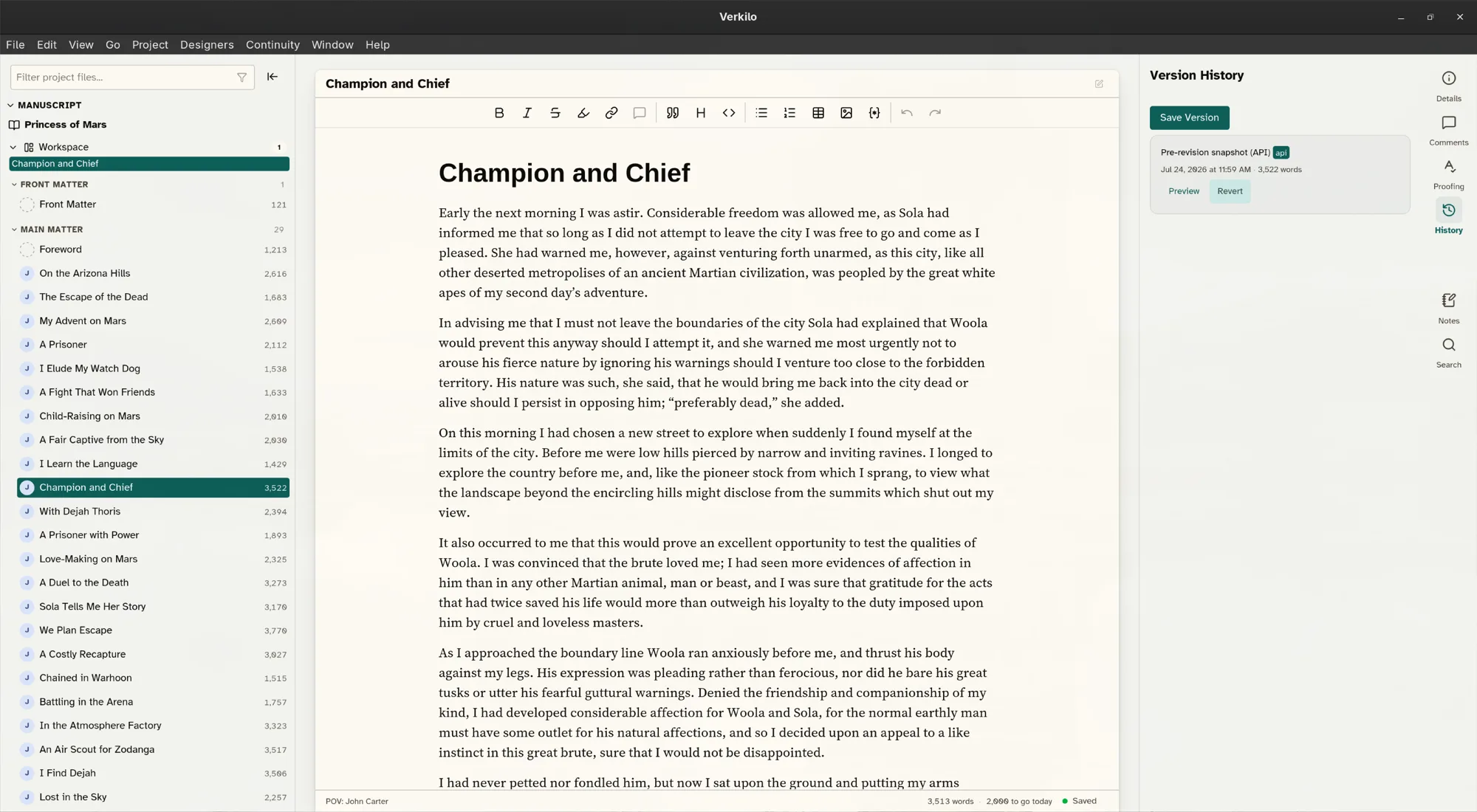
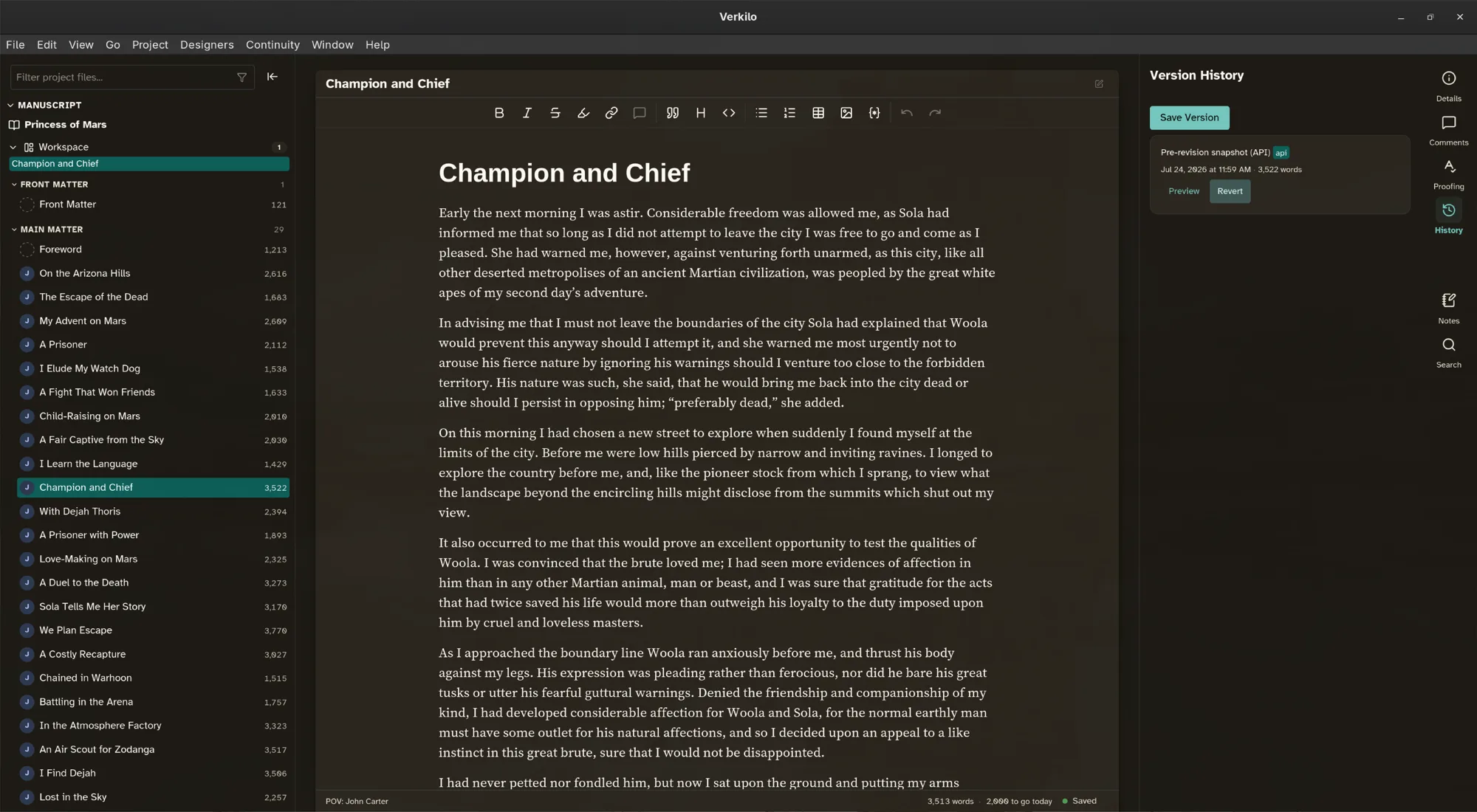
And the bad day everyone actually fears — the laptop that won’t turn on, the coffee that wins? That’s what the synced backup folder is for. With your backups in Dropbox, the computer can die and the book doesn’t. Install Verkilo on the new machine, open the most recent backup, and keep writing. Your license covers all your personal computers, so the reinstall costs nothing.
Common questions
- Can I get my writing out of Verkilo?
- All of it, any time. Project → Export Data writes a full copy of your project — every scene, character, location, notebook entry, and image — as plain Markdown files (ready to open as an Obsidian vault) or as a private website that runs in any browser with no internet and no Verkilo. Individual books also export to EPUB, PDF, Word, HTML, and Markdown.
- Can I keep my project in Dropbox, OneDrive, or iCloud?
- You can, and Verkilo works to protect you if you do: every save writes a complete file and swaps it in whole, and it checks for outside changes before writing anything. But no writing app can make a synced folder completely safe, and we won’t pretend otherwise. Our recommendation: keep the project on your local drive, and sync the daily backup folder instead.
- Can my templates and settings follow me to a second computer?
- Yes. Point Settings at a folder your cloud storage already syncs — iCloud, Dropbox, or anything similar — and your interior templates, label groups, presets, keywords, dictionary and preferences are kept there for your other machines to pick up. Manuscripts aren’t included; you move those yourself. Treat it as a convenience rather than a backup, and keep your backups running.
- What happens if my computer crashes while I'm writing?
- Reopen Verkilo. It detects the interrupted session and offers to restore it.
- I cut a scene last month and want it back. Can I get it?
- If you took a snapshot first, yes — snapshots restore sections, books, characters, and locations exactly as they were. Verkilo also writes a dated backup of your project to your Documents folder every day you write.
- What if my whole computer dies?
- That’s the fear the backups exist for. Sync your backup folder to Dropbox — or any cloud drive — and a copy of your project leaves the machine every day you write. Install Verkilo on the new computer, open the most recent backup, and keep going. The most you can lose is what came after the newest backup.